This post may contain affiliate links. If you book or buy through our links, we may earn a small commission at no extra cost to you. Learn more.
Published · Updated
Korea has some of the fastest mobile networks in the world. 5G coverage is widespread in Seoul; LTE is solid almost everywhere else, including rural areas and subway tunnels. The connectivity itself is not the problem. The problem is that most travelers spend more time than necessary figuring out which SIM to get, from where, and whether their phone will even accept it.
This covers the three real options — physical SIM, eSIM, and pocket WiFi — with actual prices, where to buy each, and the things that catch people off guard. No filler, just what you need to sort it out before or right when you land.
Your Three Options, Side by Side
| Option | Best for | Where to buy | Price range |
|---|---|---|---|
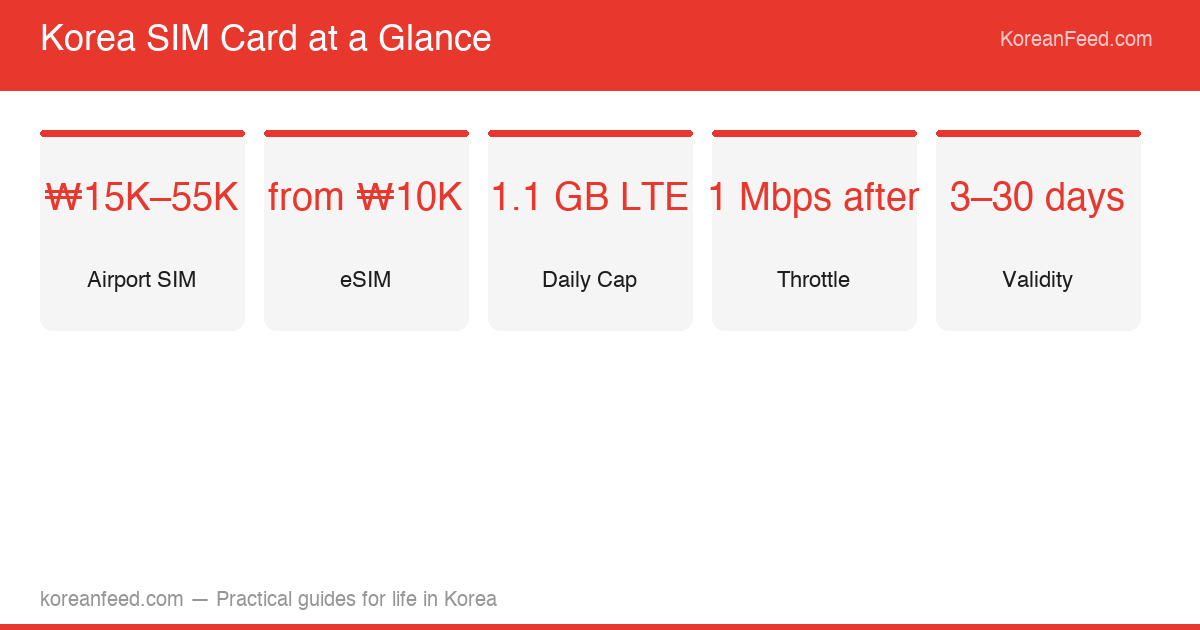
| Physical SIM | Most travelers | Airport, convenience stores, Klook | ₩15,000–₩55,000 |
| eSIM | Compatible phones, no queue | Airalo app, KT website | ₩10,000–₩40,000 |
| Pocket WiFi | Groups of 2–3 sharing | Airport counter, Klook | ₩6,000–₩10,000/day |
Physical SIM at the Airport — The Default Choice
If you land at Incheon, the SIM counters are in the arrival hall of both Terminal 1 and Terminal 2, right after you clear customs and immigration. All three major Korean carriers — KT, SKT, and LG U+ — have booths there. For most travelers, this is where it ends: pick up a SIM, hand over your passport, pay, and you’re connected within ten minutes.
KT’s Terminal 1 counter is open 24 hours, which matters if you arrive on a late-night or early-morning flight. SKT and LG U+ typically operate during daytime hours. If arrival time is uncertain, KT is the safe default.
The plans that make sense for most visitors:
| Duration | Daily data cap | Approximate price | Calls |
|---|---|---|---|
| 5 days | 1.1 GB LTE, then 1 Mbps | ₩20,000–₩25,000 | Included on most |
| 10 days | 1.1 GB LTE, then 1 Mbps | ₩30,000–₩35,000 | Included on most |
| 30 days | 1.1 GB LTE, then 1 Mbps | ₩50,000–₩55,000 | Included |
The differences between carriers are small for tourists. KT, SKT, and LG U+ all cover the same areas and throttle at the same point. Pick whichever counter has a shorter queue.
The one thing most people don’t check before leaving home: whether their phone is unlocked. A carrier-locked phone from AT&T, Verizon, or any other home carrier won’t accept a Korean SIM. If you’re not sure, call your carrier before the trip — unlocking usually takes 24–48 hours and requires your account to be in good standing.
eSIM — Skip the Counter Entirely
eSIM has become the first choice for a significant portion of international travelers visiting Korea in 2026. The appeal is straightforward: no physical card, no counter queue, and you can activate before you land so data is working the moment you clear immigration.
The most widely used service among Korea-bound travelers is Airalo. You download the app, buy a Korea data plan, and install the eSIM profile. Plans start around ₩10,000–₩15,000 for 7 days of data. The catch is that Airalo and most third-party eSIM providers are data-only — you get a working internet connection, but no Korean phone number for voice calls or SMS.
That limitation matters in a few specific situations:
- Some Korean apps and services require SMS verification to a Korean number at signup
- Calling a restaurant to make a reservation requires outgoing call capability
- Certain banking or payment apps in Korea are tied to local numbers
For the majority of visitors — navigation, messaging apps, social media, booking platforms — data-only is sufficient. If you know you’ll need to make outgoing Korean calls, either buy a physical SIM with call minutes included, or get a KT eSIM through their official app, which does include a temporary Korean number.
Also worth knowing: if your phone has only one physical SIM slot and supports eSIM, you can run both simultaneously — your home SIM for calls and messages back home, the Korean eSIM for local data. This dual-SIM setup is one of the reasons eSIM has become so popular among frequent travelers.
Buying After You Land — Convenience Stores
If you’re already in Seoul and missed the airport counter, or if you decided you need a SIM a few days into your trip, Korean convenience stores carry prepaid SIM cards. GS25, CU, and 7-Eleven all stock them, though selection varies.
CU tends to have the widest SIM selection. Look for the display rack near the register, usually alongside portable chargers and phone accessories. Plans are similar to airport options in price — ₩15,000–₩50,000 depending on duration.
The airport counter is still the smoother experience: staff handle activation and setup for you. Convenience store SIMs sometimes require activation through an online portal, which may be Korean-language only. If you’re comfortable enough to navigate that, it’s fine. If not, it’s worth the extra ten minutes at the airport.
Pocket WiFi — When It Actually Makes Sense
Pocket WiFi (called “egg WiFi” or “와이파이 에그” locally) is a portable hotspot you rent by the day, picked up and returned at the airport. It connects up to 5–10 devices simultaneously and runs on Korea’s LTE network.
Planning a trip to Korea?
Check our guides on where to go, getting a SIM card, and K-ETA requirements before you fly.
For a solo traveler, the math doesn’t work: a SIM card is cheaper, requires no carrying a separate device, and doesn’t die if you forget to charge it. For a couple or a small group, pocket WiFi can make sense because you split one daily rental fee among multiple people. At ₩6,000–₩10,000 per day, two people splitting the cost land at ₩3,000–₩5,000 each — cheaper than two individual SIMs.
The real-world downside: if you and your travel companion split up to explore different parts of the city, only the person carrying the device has data. That’s a dealbreaker for some itineraries and a non-issue for others, depending on how you travel.
Pre-Booking Before You Arrive
Both physical SIMs and pocket WiFi can be reserved before departure through platforms like Klook. Pre-booking locks in the price and lets you pick up the device at an airport counter without waiting in a walk-in queue. For travel during peak season — spring cherry blossom and autumn foliage periods see significant airport congestion — pre-booking saves real time.
Korea SIM Card & Pocket WiFi via Klook
Reserve before departure, pick up at Incheon or Gimpo on arrival. Skip the walk-in queue.
Data Throttling — What “Unlimited” Actually Means
Every tourist SIM plan in Korea markets itself as “unlimited data,” and technically that’s true — you never get cut off. What happens in practice: after you hit the daily cap (usually around 1.1 GB), speeds drop to around 1 Mbps. That’s roughly 3G speed.
At 1 Mbps: Naver Maps loads without issues, KakaoTalk messages and photos send fine, websites load in a few seconds, and YouTube works at 480p with some buffering. Uploading photos to Instagram or editing videos in real time will feel slow. For most travel use cases, you’ll hit the cap in the evening if you’ve been streaming during the day, and it resets at midnight.
If you’re using your phone for heavy video calls or streaming, budget for the throttle period. It’s not a crisis — it’s just slower.
What Your SIM Needs to Power in Korea
Korea runs on apps that require active data. A few worth knowing before you arrive:
Naver Maps is the navigation app that actually works in Korea. Google Maps has incomplete data for Korean roads and no real-time transit routing for Seoul’s subway system. Naver Maps has both, and it’s accurate. You need data for it to function. (The Seoul Subway guide covers this in more detail.)
Kakao T is how most people hail taxis in Seoul. It’s the dominant ride-hailing app, used by both locals and foreigners. It works with a foreign phone number and requires data to locate drivers. If you’re planning to take taxis at all, this app needs a working data connection.
Naver Pay and Kakao Pay are digital payment systems that most foreign cards can’t access without a Korean bank account. This isn’t solved by having a Korean SIM — you’ll still need cash or a foreign card for most transactions. But data helps you find ATMs that accept foreign cards (see the Incheon to Seoul guide for ATM notes).
Summary: What to Actually Do
For most travelers arriving at Incheon: go to the KT, SKT, or LG U+ counter in the arrival hall, buy a 10-day or 30-day SIM depending on trip length, and move on. Ten minutes, done.
If your phone supports eSIM and you want data from the minute you land: buy an Airalo plan before departure and activate it on the plane. Skip the counter entirely.
If you’re traveling in a group of three or more and will spend most of the trip together: pocket WiFi is worth considering. Otherwise, individual SIMs are simpler.
The one thing to do before any of this: confirm your phone is unlocked. That single step prevents the most common problem travelers run into at the SIM counter.
Prices and plan details reflect conditions as of May 2026. Carrier plan specifics change periodically — verify current options at the airport counter or carrier website before purchasing.
You might also like



Sem Kim has lived and worked in Seoul for over a decade. He writes about the practical side of navigating Korea as a foreigner — immigration, transport, local services, and the parts of daily life that guidebooks tend to skip. His work draws on firsthand experience moving through Korean bureaucracy, neighborhoods, and systems that aren’t always designed with international visitors in mind.